The invoicing app built for people who work with their hands. Write the estimate on site, turn it into an invoice with one tap, and send it before you’ve left the driveway. It works with no signal.
Create, edit and preview estimates and invoices in a basement, a loft or a lay-by. Everything waits until you’re back online.
02
Estimate to invoice in a tap.
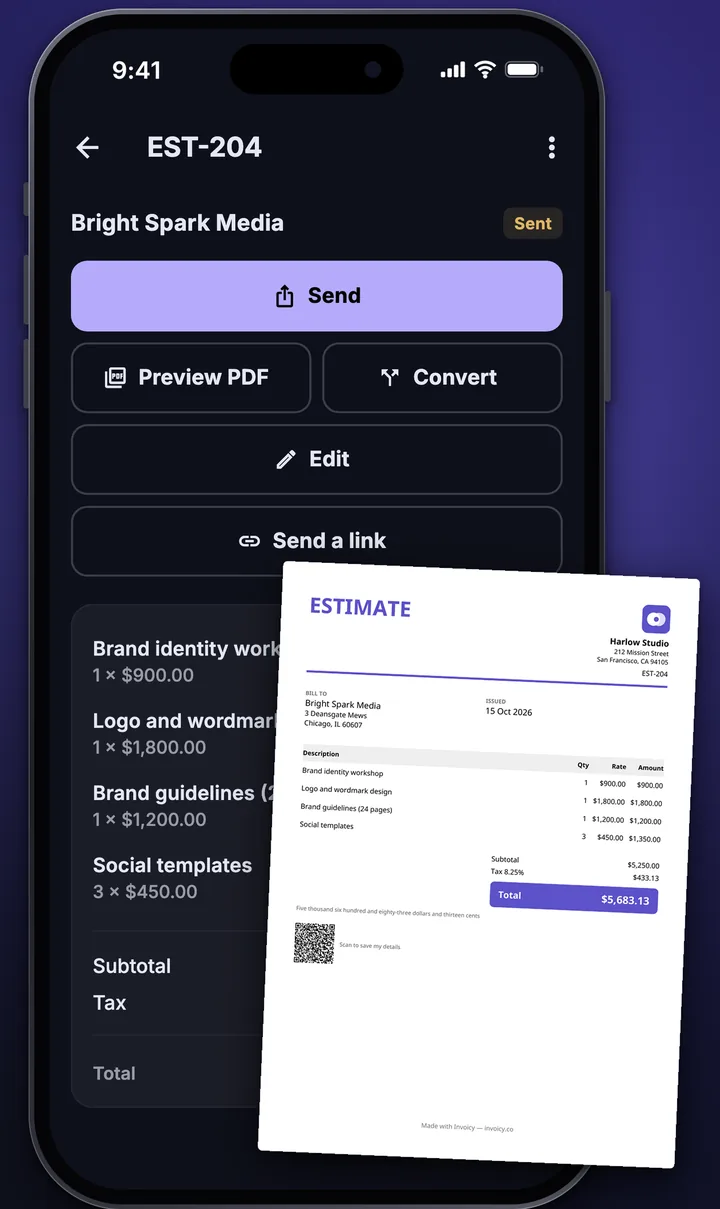
Win the job, press Convert, and the lines, tax and client carry across. No retyping, no mistakes.
03
Sent where clients actually look.
WhatsApp, email, text, print, or save as a PDF or image. Your client gets a clean, branded document.
What it does
Everything between “can you quote?” and “paid”.
Invoices & estimates
Done before the kettle boils.
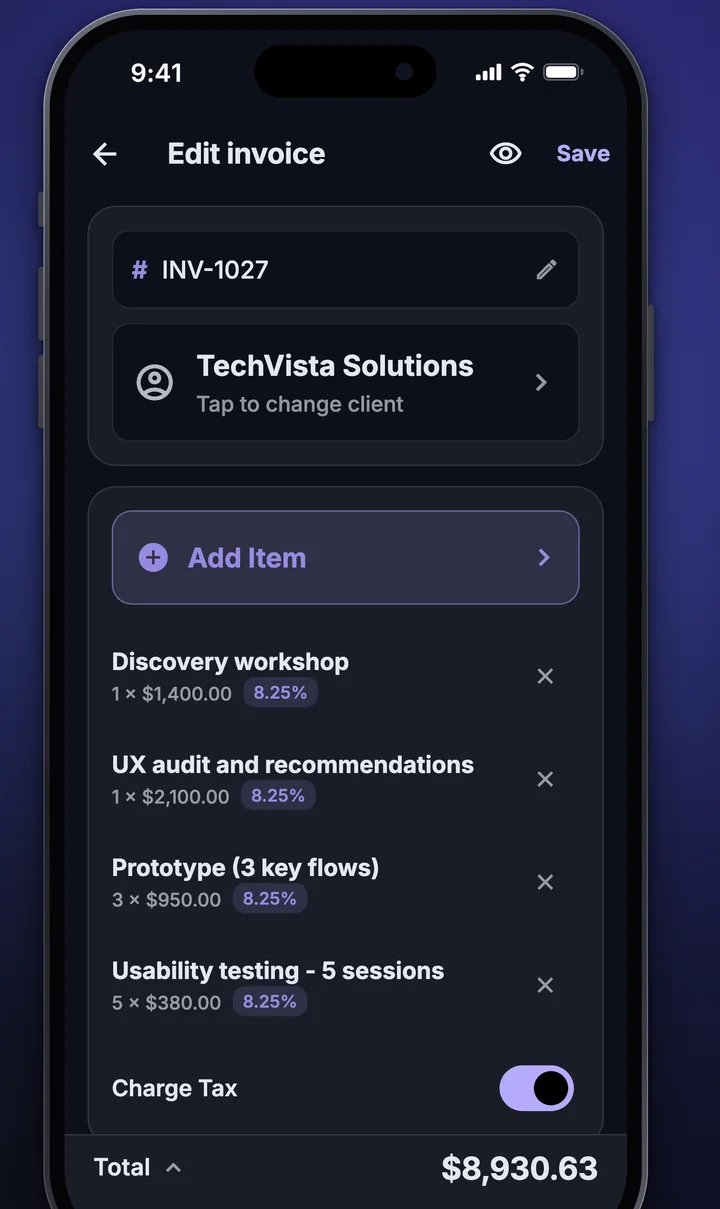
Pick a client, add items from your price book, set the tax. Totals, due dates and numbering take care of themselves.
Save your regular items and prices once
Say line items out loud: speech is recognised on your phone
Recurring invoices for regular customers
Documents
PDFs that look like your business.
Your logo, your colours, your wording. Preview exactly what your client will see, then send it from the same screen.
Several clean templates
Notes, terms and your payment details on every document
Documents in seven languages
Getting paid
Know who owes you. Hardest first.
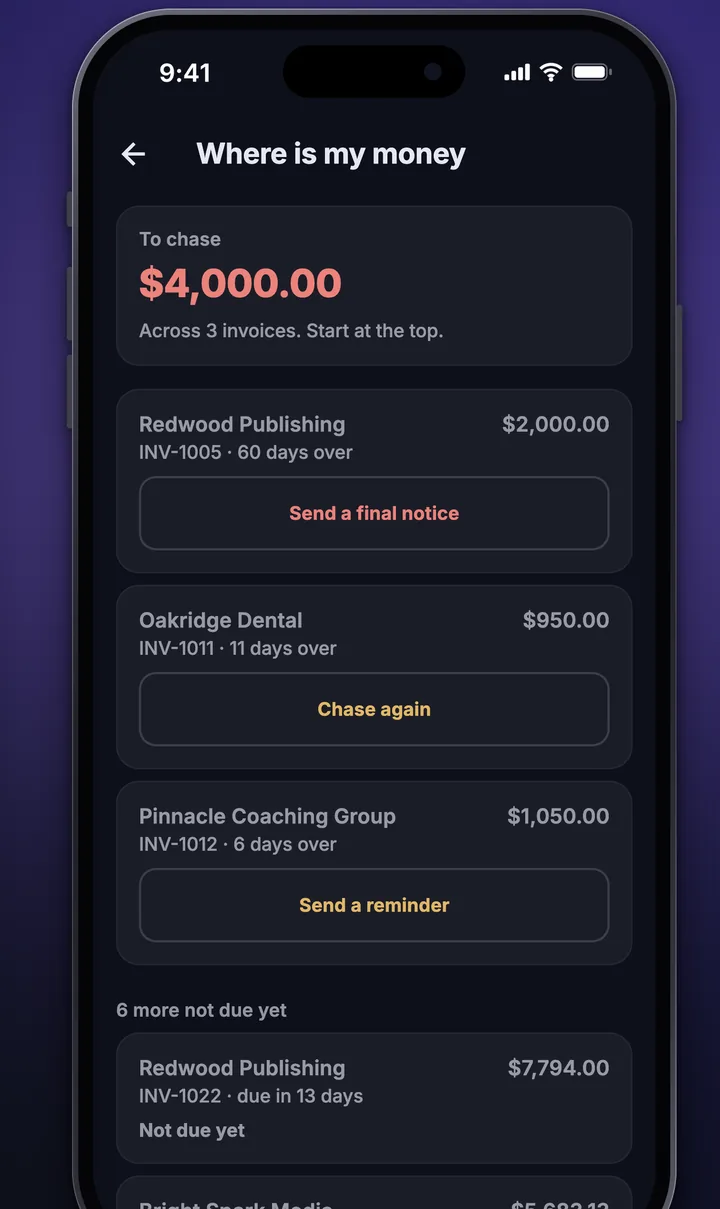
One list of what’s overdue, oldest at the top, with a ready-made message to chase each one. Mark invoices paid, or record part payments as they land.
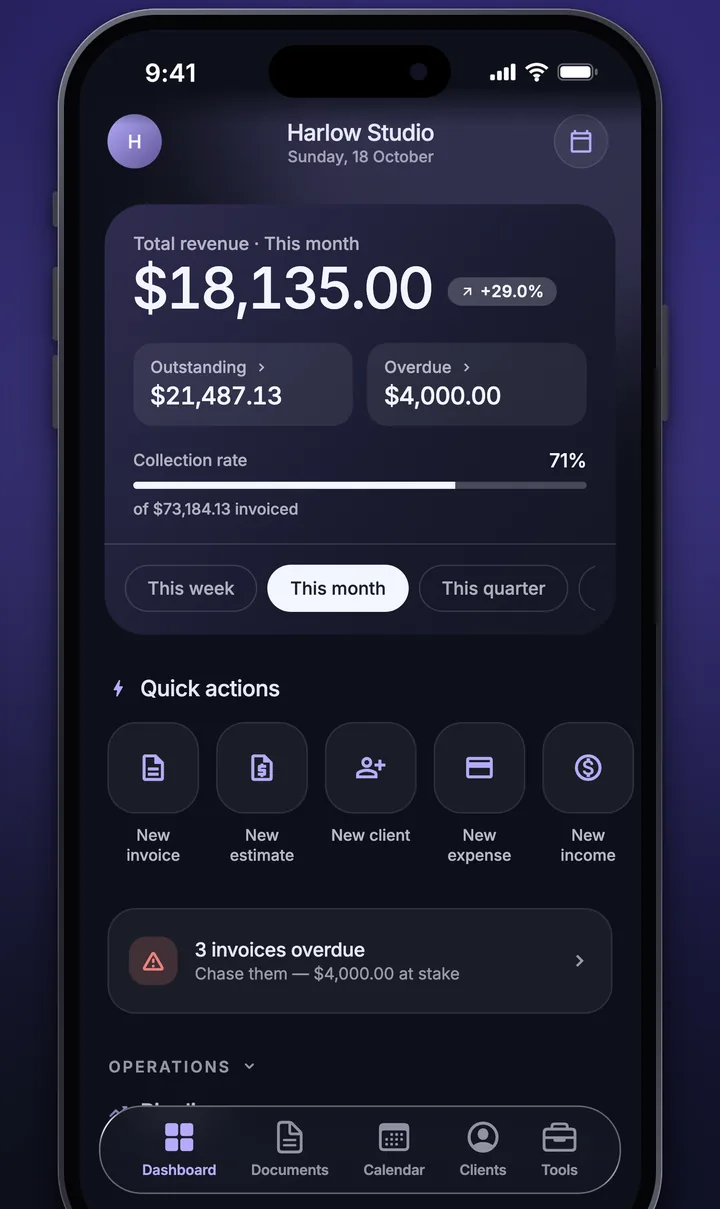
Overdue and due-soon at a glance
Reminders for due dates
Every client’s history in one place
Your numbers
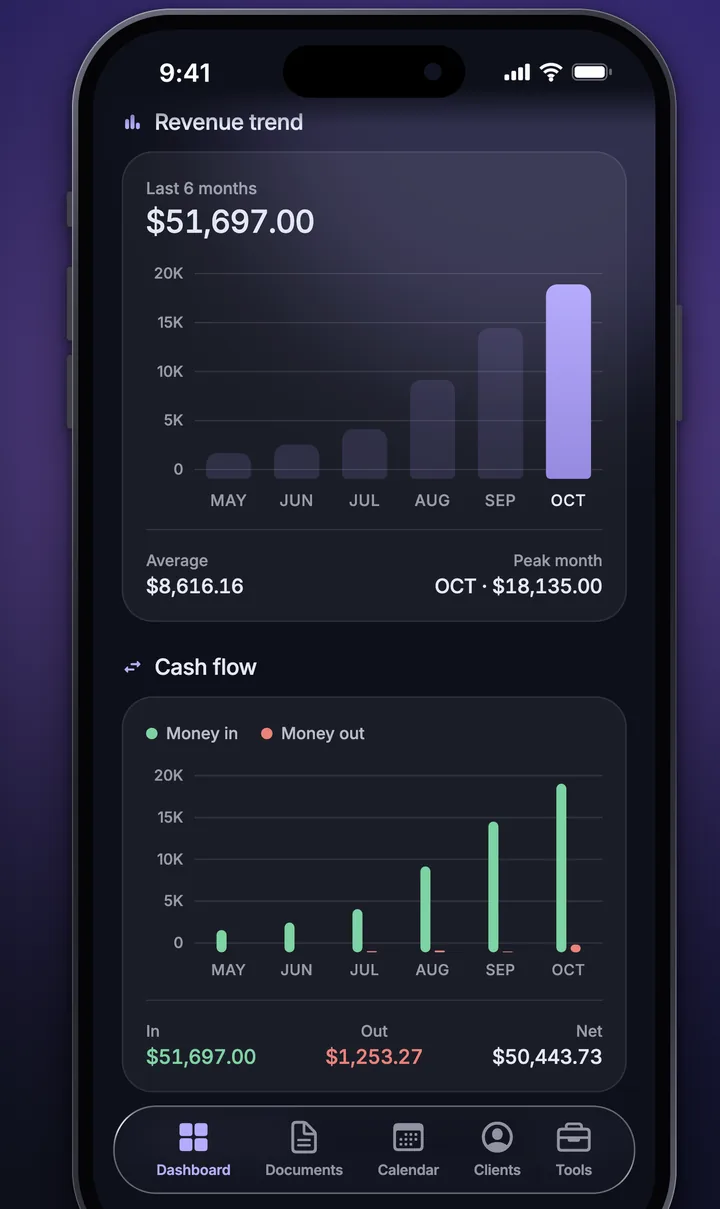
See how the business is really doing.
Money in, money out, tax to set aside. Reports are one tap away and share as a file for your accountant.
Income, expenses and profit
Tax your way: per-line rates, VAT, GST or sales tax
Export to CSV or PDF
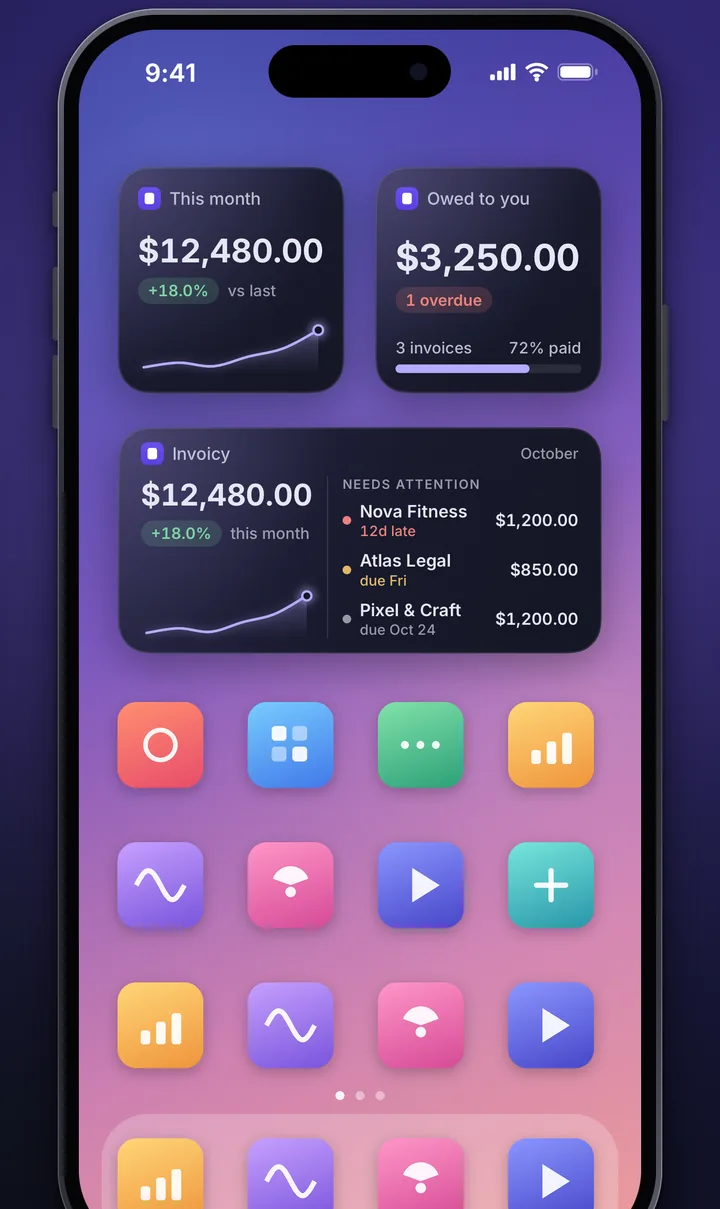
Widgets
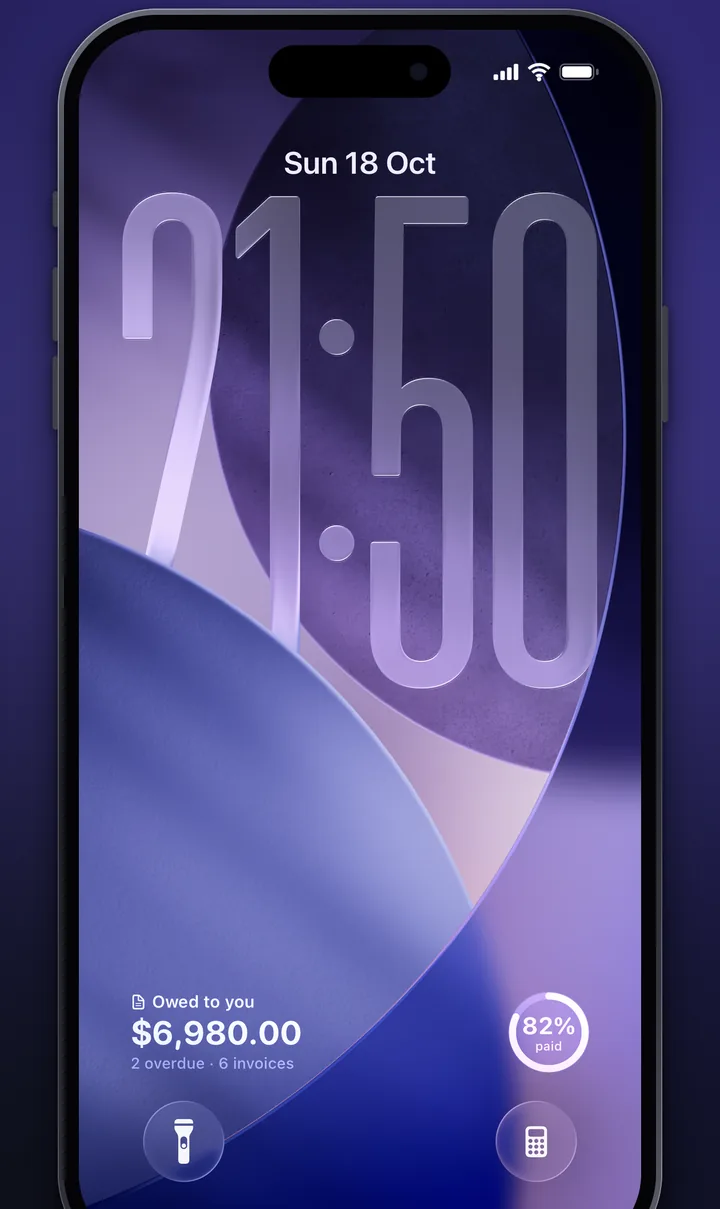
Your money, on the Lock Screen.
Add a widget to your Home Screen or Lock Screen and see what you’re owed without opening the app.
Home Screen and Lock Screen widgets
Tap through to the invoice that needs you
And the rest of the toolbox
Small things that save big hours.
Job mode
Start a timer on arrival, snap before-and-after photos, collect a signature, and bill the time.
Hold to talk
Say “two hours labour and a new tap”, confirm the lines, done. Speech stays on your phone.
Expenses & other income
Log what you spend and what else comes in, so profit is a number you can trust.
Any country, any currency
Seven app languages and your local tax rules, with documents in your client’s language.
Clients, remembered
Contact details, notes and every document you’ve sent, one tap from the client’s name.
Yours, and private
Records live on your iPhone. No ads, no selling data, and you can delete everything from Settings.
Pricing
Free is free. Pro is for when you’re busy.
Everything you need to quote, invoice and get paid costs nothing. Go Pro when you want it on every device and on your own terms.
Free
Run your whole business from one phone.
Estimates, invoices, receipts and more
Clients, expenses and reports
Job timer, photos and signatures
Widgets and reminders
PDF, WhatsApp, email, text and print
Pro
Invoicy Pro
Your business, on every device, with your own brand.
Back up and sync across your devices
Every invoice template
Remove the “Made with Invoicy” line
Your own branding on documents
Invoicy Pro is an auto-renewing subscription, weekly or yearly, billed to your Apple ID. The price is shown in the app before you buy. It renews automatically unless you turn off auto-renew at least 24 hours before the end of the period; manage or cancel in iPhone Settings › your name › Subscriptions. See the Terms of Use and Privacy Policy.
Offline first.Your records are kept on your iPhone and work without a connection.
No ads. Ever.We don’t sell your data or show you adverts. Anonymous usage stats can be switched off.
Delete anytime.One button in Settings removes your account and data from your phone and our servers.
Questions
The short answers.
Does it really work without a signal?
Yes. You can create, edit and preview estimates and invoices with no connection. Anything that needs the internet, such as sync and document links, waits until you’re back online.
Is it free?
Yes. Invoicy is free to use. Invoicy Pro is an optional subscription that adds sync across devices, every template, and removes the “Made with Invoicy” line.
Can I move to a new iPhone?
Turn on backup & sync in Settings, sign in on the new phone and your records come across. Pro purchases return with Restore Purchases.
Which tax rules does it support?
You set rates per line or per document, with support for VAT, GST and sales tax. Invoicy is not tax advice, so check filings with your accountant.
Is my data private?
Your records stay on your iPhone unless you turn on a feature that needs to send them. Read the Privacy Policy for the details.
 Invoicy